
You don't build your calendar by hand. It's already there. You just fix what changes.
OT, DT, pickups, giveaways: log the difference, and your schedule and estimated pay update from there.
See how it works ↓ (download link is below)
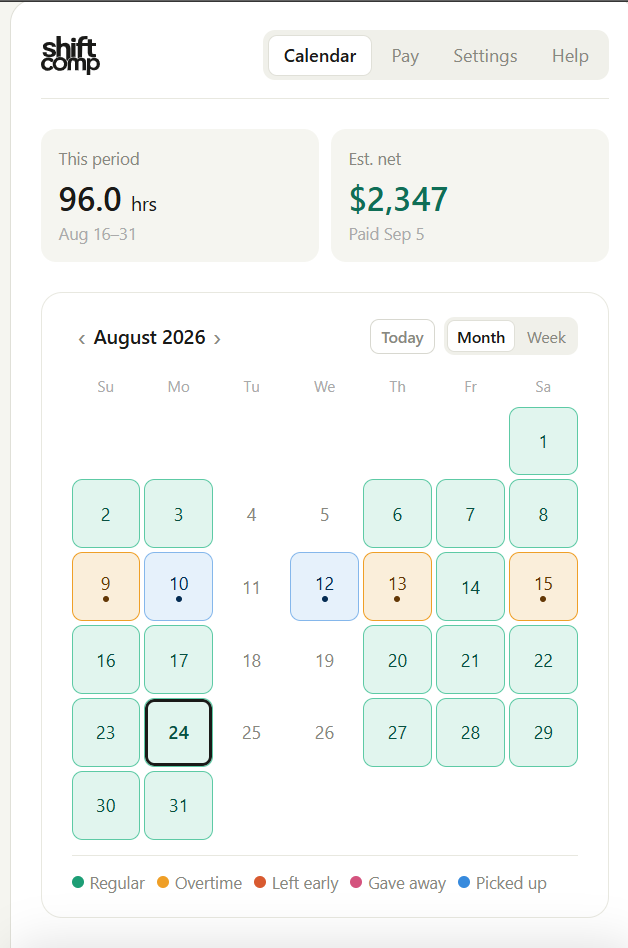
Your bid is already there.
Set your bid block once and your regular shifts fill in automatically.
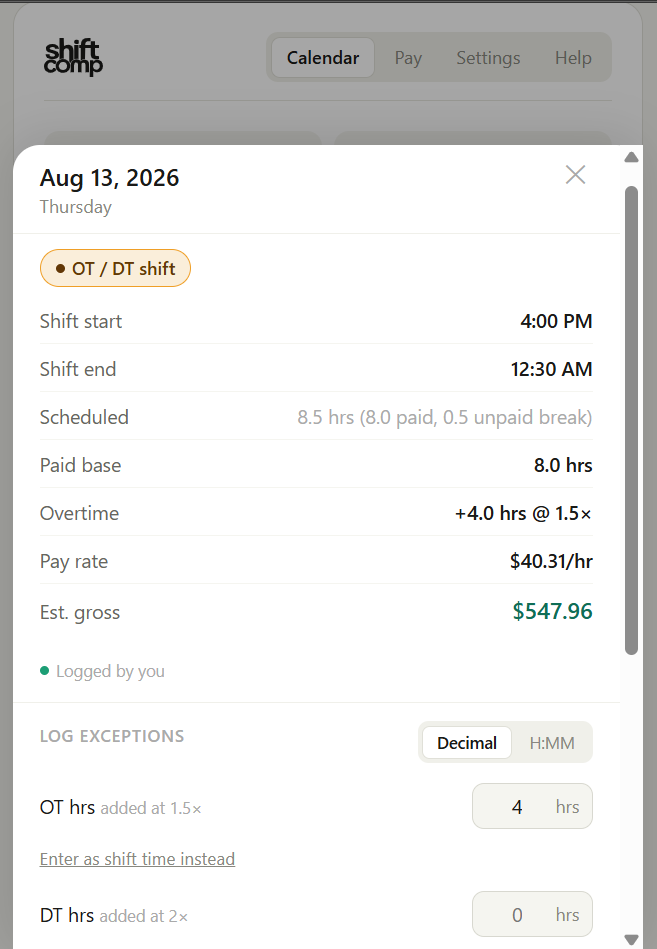
Just log what changed.
OT, DT, pickups, giveaways, leaving early. Tap the day and enter it.
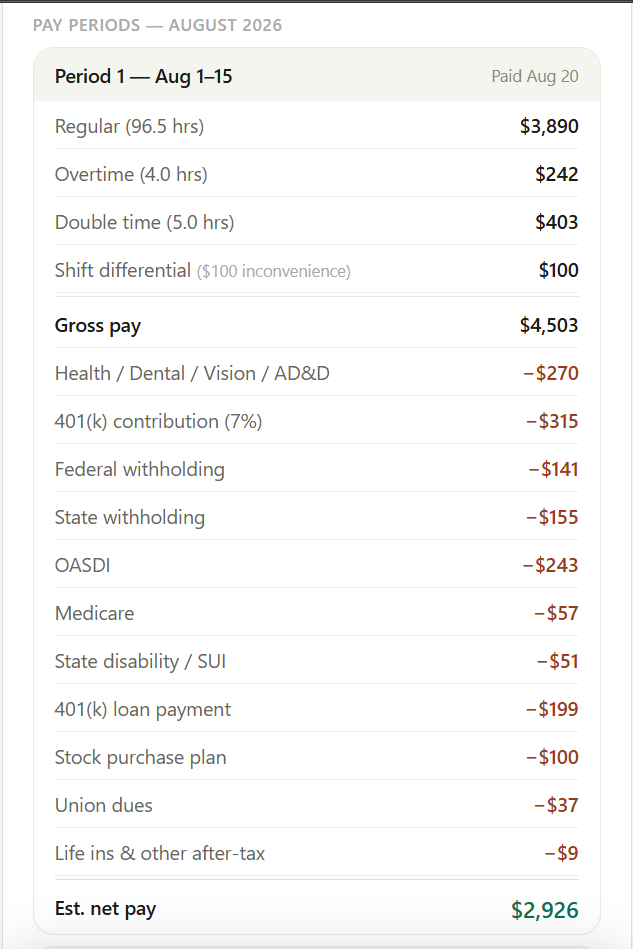
See where your check is headed.
Regular time, OT, deductions, and estimated take-home per period.
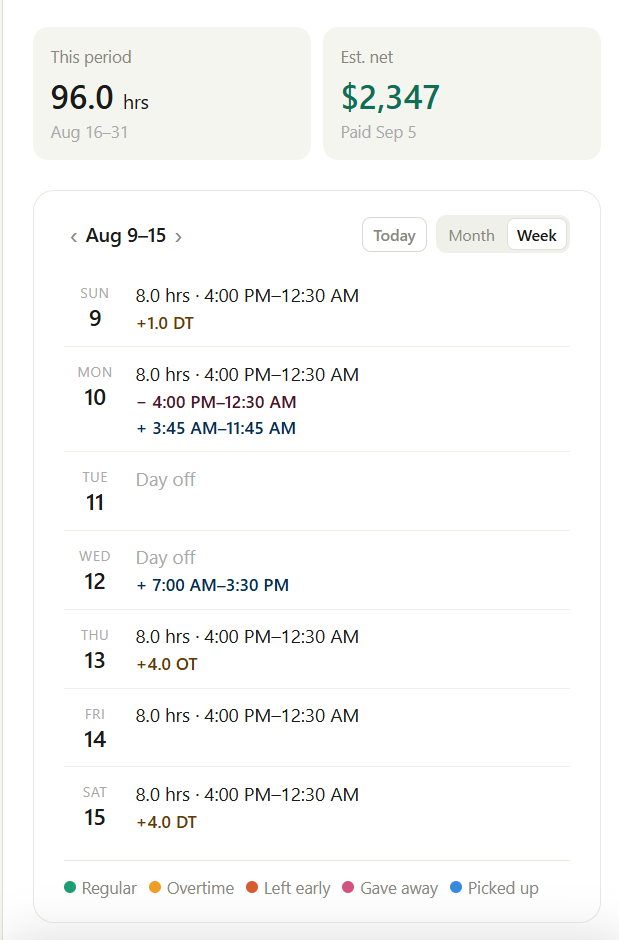
Your schedule stays useful too.
Month and week views keep the actual schedule easy to see.
I built this because I wanted it myself.
I was already keeping track of my schedule and trying to figure out what OT, DT, pickups, and everything else were going to do to my check. I wanted one place that handled both, without having to enter the same schedule over and over.
ShiftComp is what I ended up building. I'm testing it with other Ground Ops employees now, so if something doesn't work, or the numbers just look wrong, let me know.
Send feedback →Install it like an app
ShiftComp runs from your browser, but you can add it to your home screen and use it like a normal app. Once installed, it also works offline.
On Android
- Open the link in Chrome
- Tap the ⋮ menu, then "Add to Home screen"
- Tap Add. It'll open like a normal app from there
On iPhone
- Open the link in Safari
- Tap the Share icon, then "Add to Home Screen"
- Tap Add. It'll open like a normal app from there
Before you start: grab a recent pay stub if you have one. A regular one works best, without a lot of overtime or extra hours mixed in. Setup asks a few questions about your pay and deductions.
Ready to try it?
Open ShiftComp →Free to use · No account · Works offline